
2026-08-12
Free Simple Resume Template PDF Download (Editable & Printable) | 2026 Format
저자: Seek PDF EditorDownload a free simple resume template PDF in seconds. Editable, ATS-friendly, and easy to convert to Word or DOCX with our built-in file converter. Get started now.
#simple resume template pdf#free resume template#resume template download#resume format pdf#editable resume template#printable resume template#ats resume template#resume template word#cv template pdf#one page resume template
Free Simple Resume Template PDF Download — Clean, Editable, and Ready in Minutes
Looking for a simple resume template PDF that you can download for free and start using right away? You're in the right place. Whether you're a student writing your very first resume, a professional switching careers, or just someone who wants a clean, no-frills resume format, this guide walks you through everything you need — plus a free downloadable template you can grab in seconds.
A simple resume format works because it puts your information first. No flashy graphics, no complicated columns — just a clear, ATS-friendly layout that hiring managers and applicant tracking systems can read instantly.
Why Choose a Simple Resume Template PDF?
Many job seekers assume a "creative" resume stands out more, but recruiters usually spend under 10 seconds scanning a resume before deciding whether to keep reading. A free simple resume template wins because it's:
- Easy to read - clear section headers and consistent formatting help recruiters find what they need fast.
- ATS-friendly - most Applicant Tracking Systems struggle with heavy graphics or unusual layouts. A simple PDF resume format is far less likely to get rejected by scanning software.
- Universally accepted — whether you're applying for an internship, an entry-level role, or a corporate position, a clean resume format download works across every industry.
- Quick to fill out — with a ready-made structure, you spend less time formatting and more time writing content that actually gets you hired.
What's Included in This Free Resume Template PDF
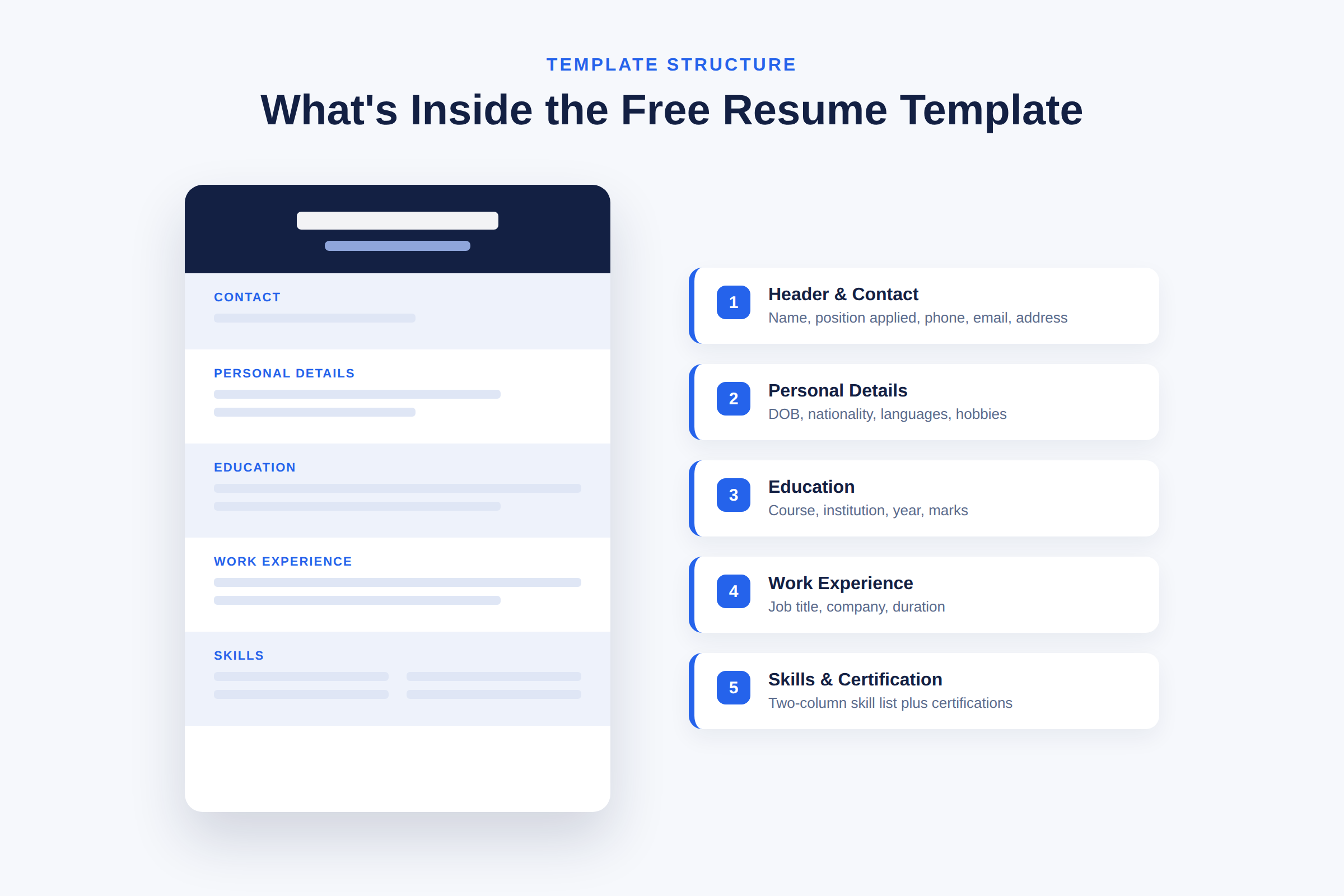
This resume format download is organized into clear, labeled sections so you can fill it out top to bottom without guessing what goes where:
1. Header — Your name and the position you're applying for
2. Contact — Mobile number, email address, and mailing address
3. Personal Details — Date of birth, gender, nationality, marital status, languages known, and hobbies
4. Education — Course, institution, year of completion, and marks/grades
5. Work Experience — Job title, company name, and duration for each role
6. Skills — A two-column list so you can showcase your key strengths at a glance
7. Certification — Space to list relevant certifications
8. Declaration — A standard closing statement to confirm your information is accurate
This structure makes it one of the most practical free resume templates available — every section is labeled, so there's zero guesswork when it's time to fill in your own details.
How to Download and Use the Template
Getting started takes less than a minute:
- Click the free download button to get the simple resume template PDF.
- Open the file in any PDF reader or editor.
- Fill in your personal information, education, and work experience directly in the fields provided.
- Save your completed resume and export it as a final PDF for job applications.
Need it in a different format? If you'd rather work in Word, Google Docs, or another editable format, you don't need to search for a separate resume template word file. Simply upload this PDF resume template into our built-in file converter, and you can instantly turn it into DOCX, JPG, or any other format you need — no extra software required. It's the fastest way to go from a downloadable resume template to a fully customized, application-ready document using your own file.
Tips for Filling Out Your Simple Resume Format
- Keep your Skills section specific — list tools, software, and abilities relevant to the job you're applying for, not generic traits.
- In Work Experience, lead with your most recent role and use short, results-focused phrases.
- Only include Personal Details that are appropriate or required for your target country or industry — some fields (like marital status) aren't expected in every region.
- Proofread the Declaration section and your contact details last, since small errors here are the easiest to overlook.
- Save a master copy of your filled-in resume before converting formats, so you always have an editable version on hand.
Frequently Asked Questions
Is this simple resume template PDF really free to download?
Yes. The template is completely free — no sign-up or payment required to download and start using it.
Can I edit the PDF template directly?
Yes, most PDF readers allow direct text entry into fillable fields. For more advanced editing (fonts, layout, colors), convert the file to Word format first.
How do I convert this resume template PDF to Word or DOCX?
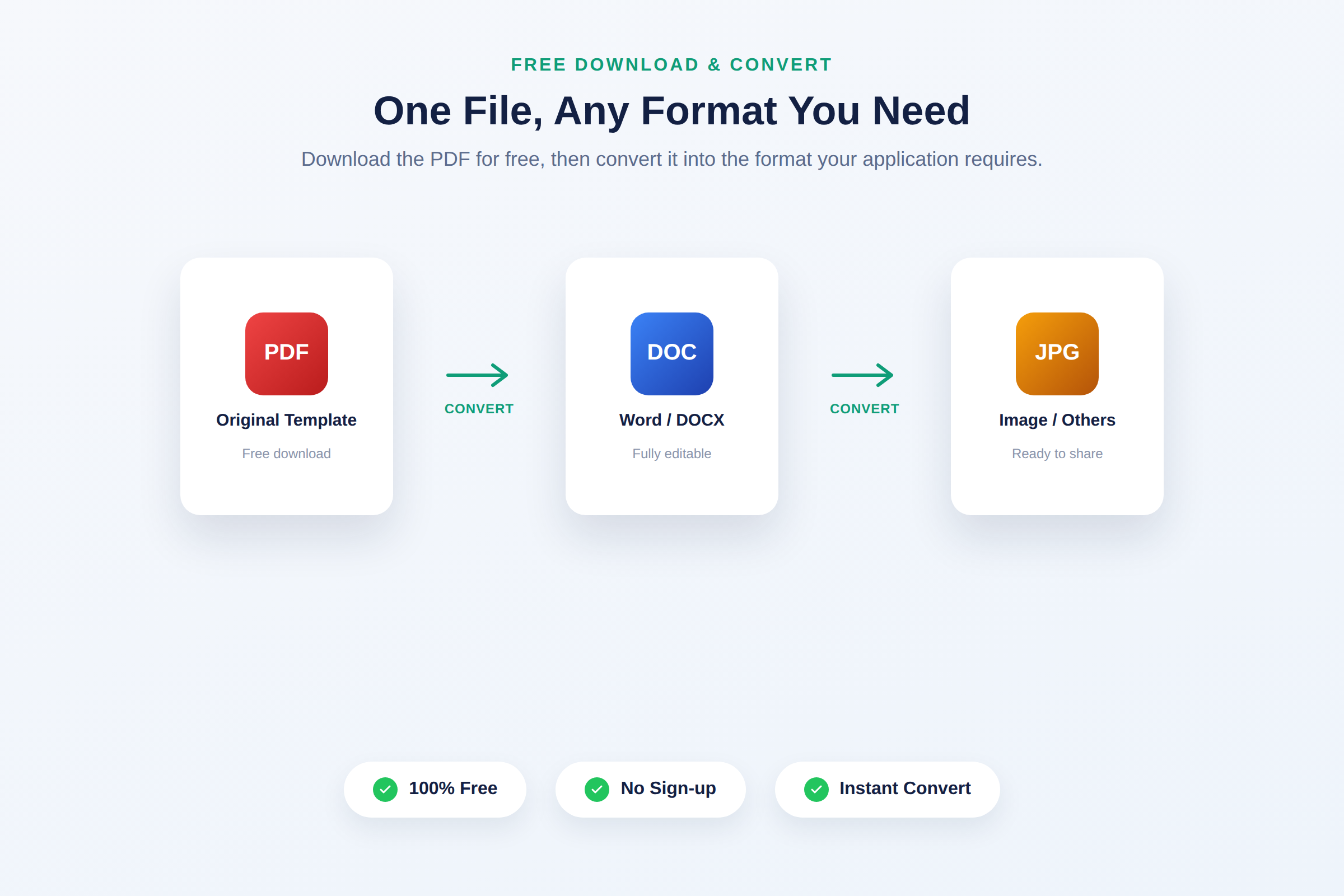
Upload your downloaded PDF to our file converter tool, select your target format (Word, DOCX, or others), and download the converted file — all within the same platform, using your own file.
Is this template ATS-friendly?
Yes. The single-column, clearly labeled layout is designed to be easily read by both human recruiters and Applicant Tracking Systems.
What's the difference between this and a CV template?
This simple resume format is built for concise, one-to-two-page job applications, while a CV template is typically longer and includes more academic or research-focused detail. If you need a CV format, look for our dedicated CV template download.
Ready to Get Started?
Download your free simple resume template PDF now, fill it in at your own pace, and convert it into the exact format your application needs — all in one place. A clean resume format shouldn't be complicated, and with this template, it isn't.