
2026-08-14
Free Cover Letter Template: The Easiest Way to Apply on Indeed
저자: Seek PDF EditorA free, ready-to-use cover letter template plus a step-by-step guide to attaching it correctly when applying for jobs on Indeed.
#Cover Letter Template#Free Cover Letter#Indeed Job Application#Job Search Tips#Career Advice#Resume and Cover Letter#Job Hunting
If you're job hunting, you already know the resume isn't enough on its own. A strong cover letter is often what convinces a hiring manager to actually open your resume and take a closer look. But writing one from scratch for every application takes time — and if you're applying through Indeed, one of the largest job search platforms in the world, you also need to know exactly how to attach it correctly.
In this post, you'll find a ready-to-use cover letter template, a breakdown of what makes a cover letter effective, and a step-by-step guide to attaching it on Indeed. At the end, you can download the template for free.
Why You Need a Cover Letter Template
A cover letter template gives you a consistent, professional structure you can reuse for every job application — you just swap in the details for each role. This matters because hiring managers (and the applicant tracking systems, or ATS, that screen applications before a human ever sees them) are looking for a clear, well-organized letter that speaks directly to the job posting. Starting from a solid template saves you time and helps you avoid missing key elements under deadline pressure.
What a Strong Cover Letter Includes
A well-structured cover letter template covers all of the following:
- Your name and contact information (email and the position you're applying for)
- The date
- Recipient details (hiring manager's name, company name, address, email)
- A greeting (Dear [Recipient Name],)
- The body: why you're applying, what makes you a strong fit, and a closing call to action — typically in three short paragraphs
- Your sign-off
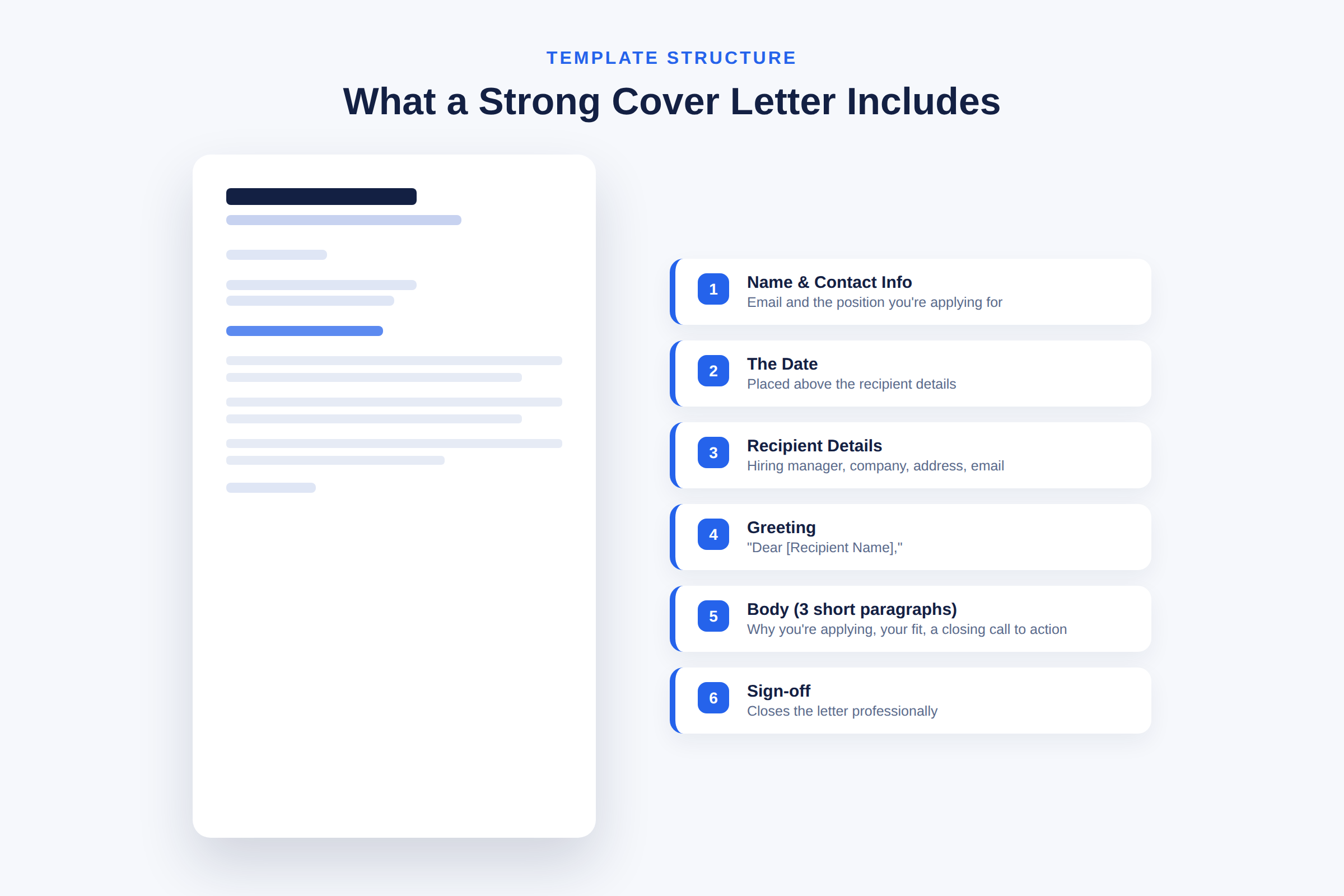
Once this structure is in place, all you need to do is update the details for each company and role — no need to rebuild the letter every time.
How to Attach Your Cover Letter When Applying on Indeed
Once your cover letter is ready, here's how to actually use it on Indeed. The process varies slightly depending on the type of job posting.
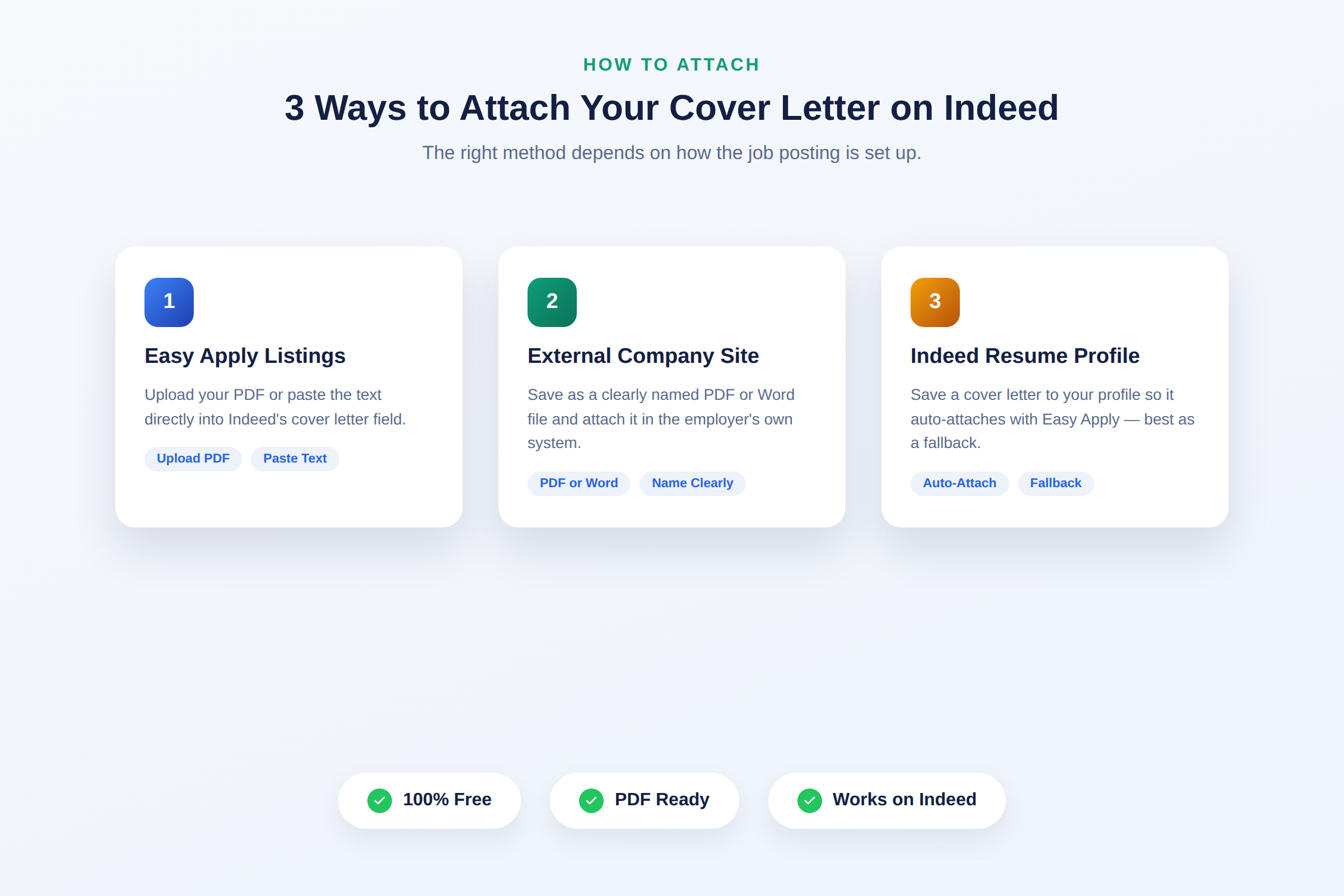
1. Indeed Easy Apply listings For postings with the "Easy Apply" button, you'll usually see an optional "Cover letter" field alongside your resume upload. You can either upload your finished letter as a PDF or paste the text directly into Indeed's text box. Keep in mind that pasting text strips out formatting (bold, alignment, etc.), so use clear paragraph breaks instead of relying on visual formatting.
2. Listings that redirect to an external company site Some Indeed postings send you to the employer's own application system when you click "Apply." In these cases, you'll typically attach a PDF or Word file. Save your cover letter as a PDF and name the file clearly, like YourName_CoverLetter_CompanyName.pdf, so you don't mix up versions when applying to multiple companies at once.
3. Saving a cover letter to your Indeed Resume profile Indeed also lets you save a cover letter to your profile settings, which can then be attached automatically when you use Easy Apply. This is convenient, but because the same letter goes out to every job, it's best used as a fallback. For roles you're genuinely excited about, take the extra few minutes to customize a version specific to that company and position.
Tips for Making Your Cover Letter Stand Out
Mirror the language in the job posting — if the listing lists specific skills or keywords, work them naturally into your letter. This helps both human reviewers and ATS software recognize you as a strong match. Be specific: back up your claims with real numbers and outcomes wherever possible ("increased conversion by 18%" lands better than "improved performance"). And keep it to one page — hiring managers are scanning quickly, so every sentence should earn its place.
Download the Free Template
The template covering everything above is available to download for free on our site. Just fill in the blanks and it's ready to attach to your next Indeed application.
Save time on your next application and put this template to work. In our next post, we'll walk through real cover letter examples that helped candidates land interviews.